Pia API
Partner feedback has driven a major expansion of our developer ecosystem, and the Pia API now gives you the freedom to shape the platform around your own operational models rather than adapting your processes to fit it. Whether it’s embedding Pia into existing services, automating routine tasks at scale, or managing environments programmatically, you now have the building blocks to create more powerful and personalized solutions.
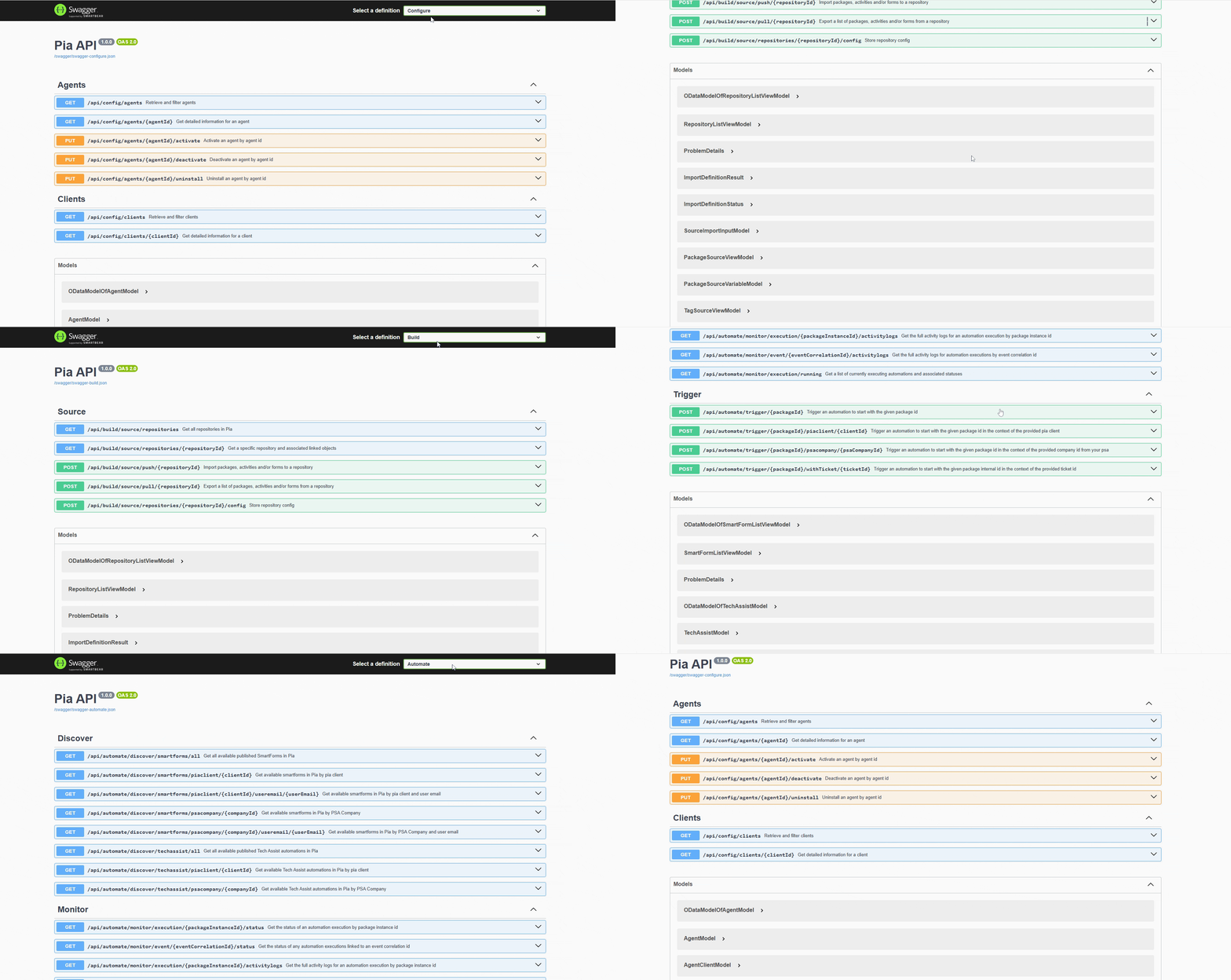
Pia now includes three new API surfaces that enable partners to Build, Automate, and Configure their workflows. Alongside these additions, new controls have been introduced to help you create and manage your API apps more efficiently.
With the three API surfaces provided by Pia, you can:
- Push and pull Pia automation scripts through the Build API to back up your work, maintain version control, and streamline the process of importing automations into Pia
- Discover and retrieve available automations, trigger them and monitor their executions by downloading their execution logs using the Automate API
- Manage your environment through the Configure API, including activating, deactivating, or uninstalling Agents and working with client information
This is a temporary location, we will likely change this when we release the API to everyone as we want to version the docs for each new Pia release.
The format of the URL's in swagger just get appended to your tenant URL, so for GET /api/config/agents, the URL would be https://yourtenantname.pia.ai/api/config/agents
Creating an API app
You will need to create an API app before you can make API calls. See steps below to create a new API App:
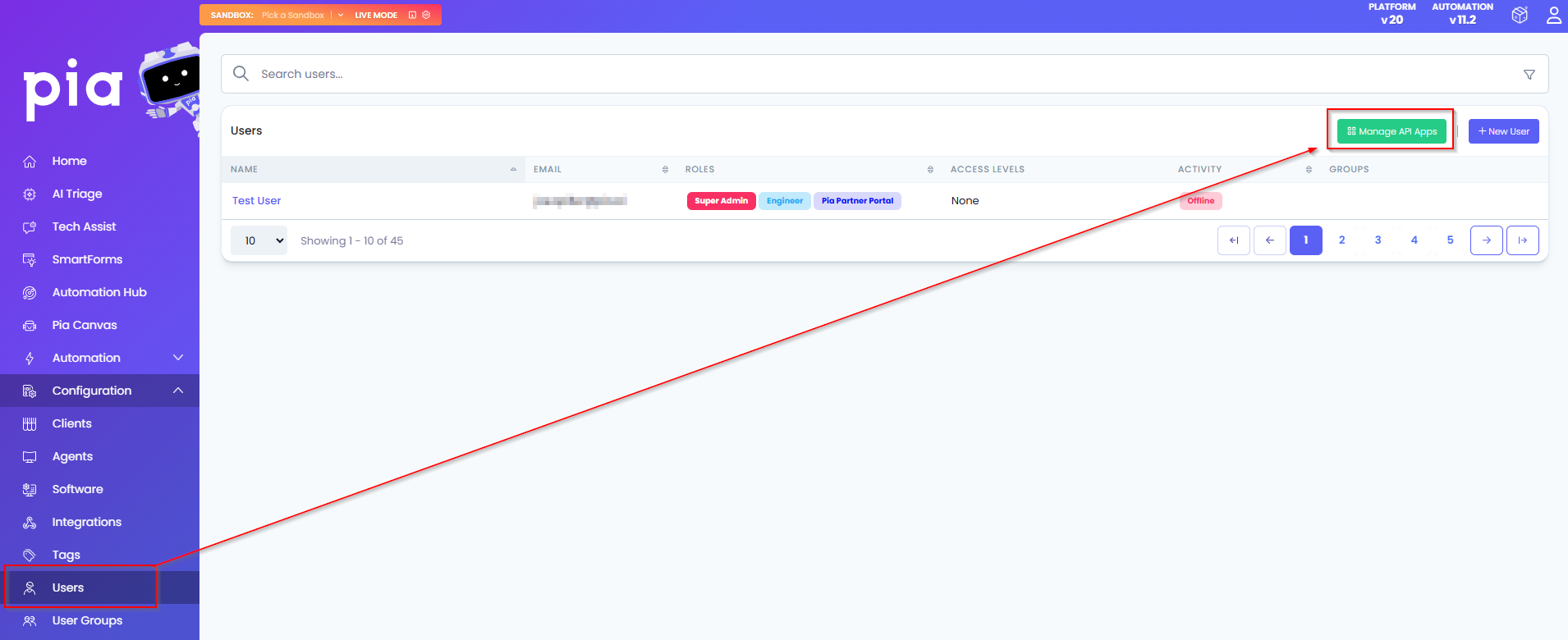
Step 1: Navigate to Users on your Pia Tenant and click on the new option "Manage API Apps"
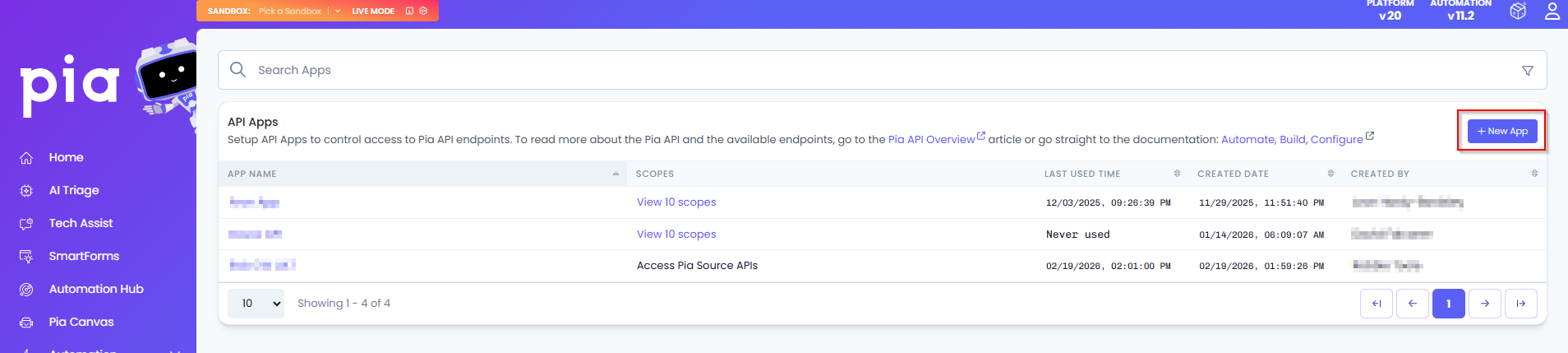
Step 2: Click New App and fill out an API App Name
Each API app is tied to a hidden user record for auditing purposes. When you perform actions via the API, audit logs will reflect the name of the API app. So if you are going to perform actions related to triggering automations or Pia Source, you may wish to create personalized API apps per person from a security standpoint separate to API Apps used in production.
Step 3: Select the scopes you would like the app to use when creating the new API App. Each endpoint on our swagger docs describe which scopes are required to utilize the respective endpoint
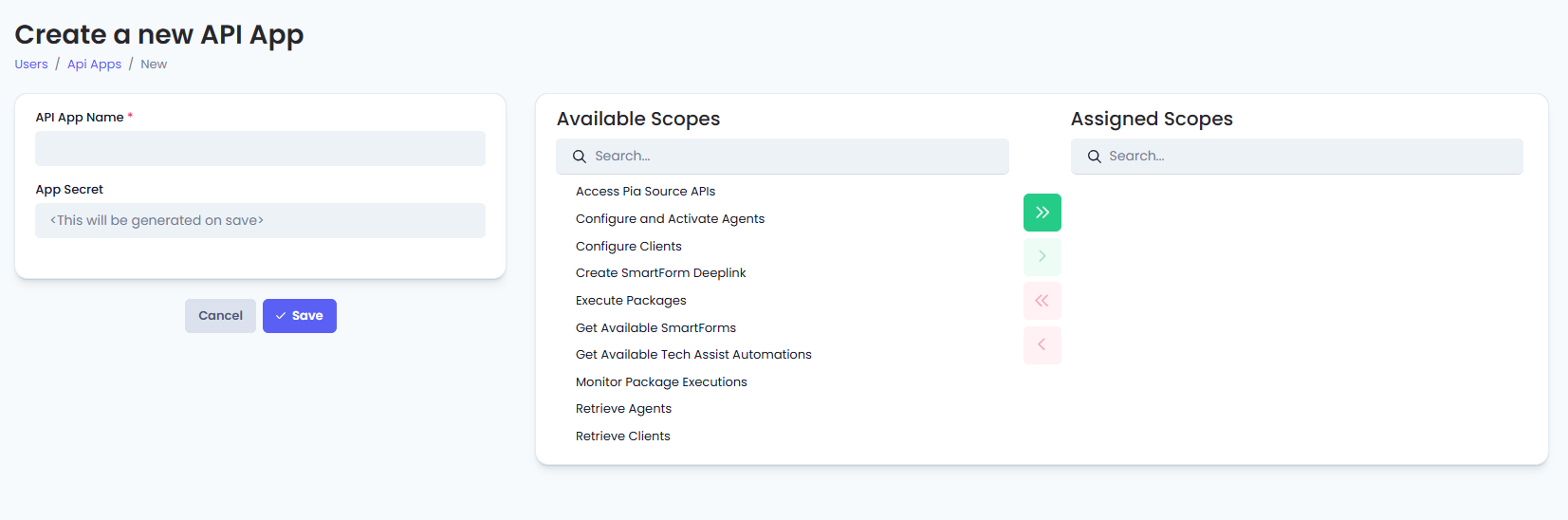
You can also come back to this screen later to modify the scopes.
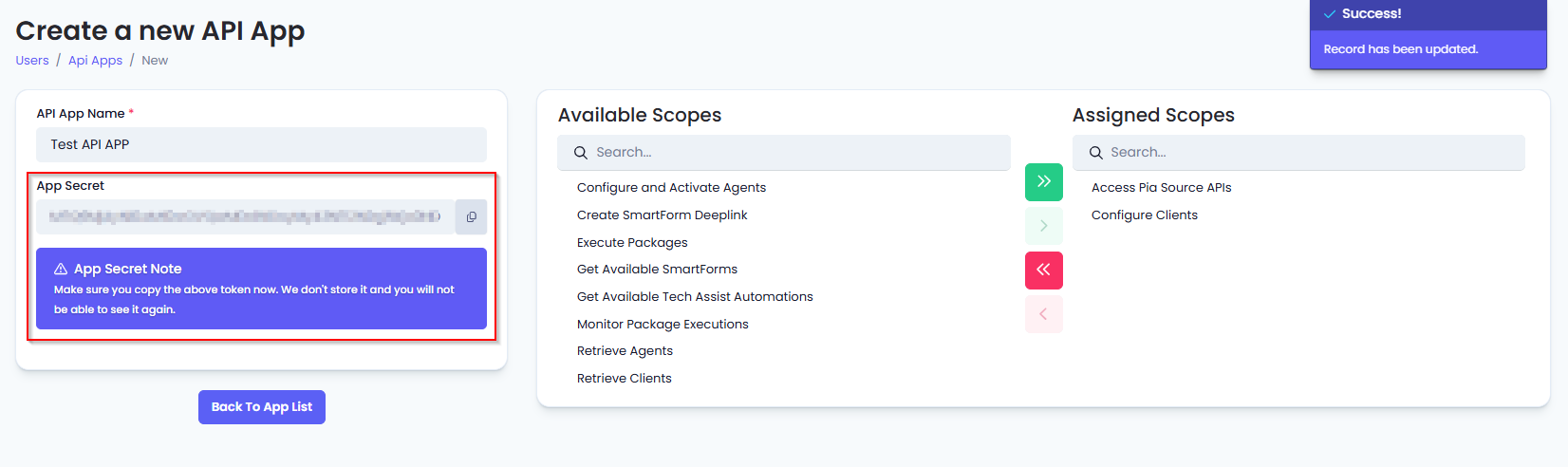
Step 4: When saving, be sure to copy the App Secret as this will only be visible once. You can regenerate it later if need be.
Making API Calls
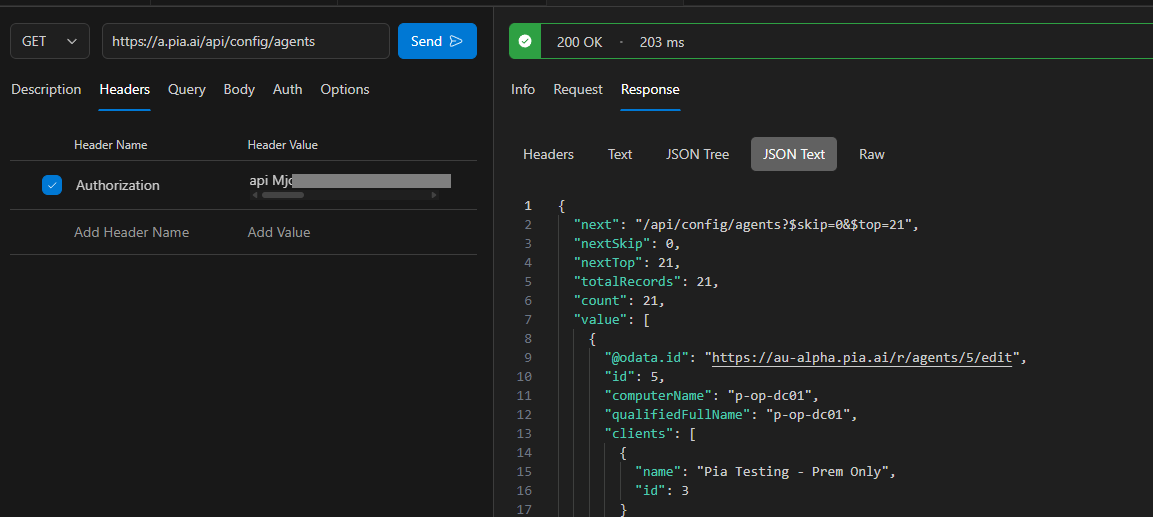
We've kept this fairly simple. Aside from following the API URL and request/response JSON formats in swagger docs, the only other thing you need to do is include the "Authorization" header in your API calls.
The format is Authorization: api [APP SECRET HERE]
For example, here is a basic api call to get a list of agents from the Pia API: